

I'm Kevin. I live in Salem, Mass with my wife and little boy and I build software.
Creating a colorable theme
Friday May 15, 2009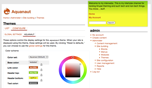
I've always been fascinated by the color module. If you've ever selected a color palette for the Garland theme, you know how cool this module is. So a couple of weekends ago I decided to buckle down and figure it all out. It wasn't the easiest module to learn, but I have to say it felt really, really good when I finally got it to work. It's not overly complicated, but there are a lot of configurations to keep track of.
I kind of liked my experimental theme, so I started using it for myself and contributed it on drupal.org as Aquanaut.
If you want to get started with the color module, I highly recommend reading this doc page. It covers all of the basics. A couple of things that I learned:
- Format your CSS file so that multiple CSS selectors/pseudo classes are on the same line:
  /** Don't use this format **/
  a:link,
  a:visited {
    color: #336699;
  }
/** Use this format instead **/ a:link, a:visited { color: #336699 } - The first color palette in the schemes array in color.inc simply defines the color picker values. If you select the default (first) color pallette, color module ignores it and loads the style.css and images from your theme directory.
- A really easy way to create default theme images is to set up the base.png and color.inc, pick a color palette using the color module, save the changes, then copy the images from your files/color directory into your theme directory.
- Each fill color can only be used once, so organize your base.png wisely if you need to use a color for two different image slices.
Happy theming!